The Extension Number Container is an entry point in Policy Builder that lets a call reach a specific part of your routing policy by using a four-digit internal extension. It sits in the ‘Click here to START’ box, alongside the other entry containers such as the Inbound Numbers Container or From Policy container.
Policy availability
Available in the Call Policy? | Available in the Data Analytics Policy? | Available in the Digital Policy? | Available in the System Policy? |
|---|---|---|---|
✔ | ✖ | ✖ | ✔ |
Purpose
The Extension Number Container routes calls internally using four-digit extensions. When a caller, or another part of your policy, reaches one of these extensions, the call enters the policy through this container and follows the apps connected after it. This lets you send calls to a specific destination, such as a call queue, without publishing an external number for it.
Location
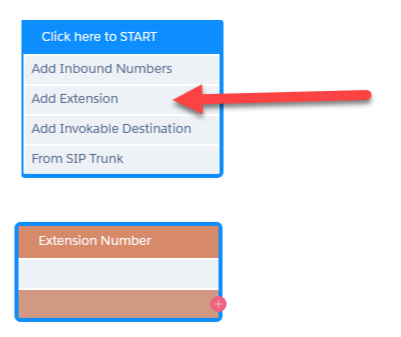
The Extension Number Container is found in the ‘Click here to START’ box in the top-left corner of a routing policy.
Use cases
Transfer calls internally to another call queue - This is important as transferring using a group extension does not transfer a call to the call queue. It would ring all the users at once like a hunt group. Adding an extension, also allows for skills routing to be added as part of the transfer.
Take callers to a post-call survey.
The configurations are effectively limitless and depend on how your routing policy is set up.
Configuration
You can use any four-digit number between 2000 and 7999 that is not already assigned elsewhere, for example, as a user extension or a group extension.
ℹ️
Note: Natterbox recommends using extensions of 3000+, because Natterbox user will auto-populate from 2000. Typically Natterbox Groups are in the 6000 range as well (but this one is a choice your org can make). The system will prevent you from choosing an extension that is already in use by another user.
To add an Extension Number Container to a policy:
Hover over the ‘Click here to START’ box in the top-left corner of the routing policy.
Click Add Extension. An orange Extension Number Container appears.
Click into the configuration and enter the extension you want to use in the Extension Number field.
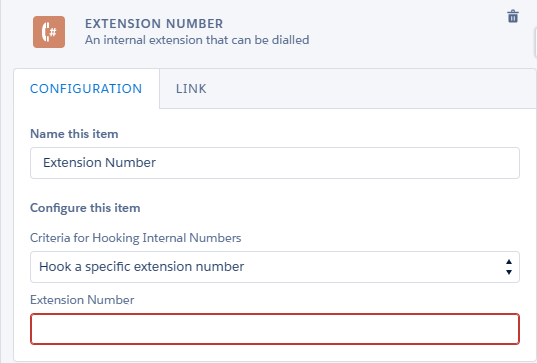
Connect the container to the app that should handle the call, for example, a Call Queue.